For the first video. You can hide it via setting to enable popup player at Yotuwp > Settings > Player > Player Mode
Then select Popup value.
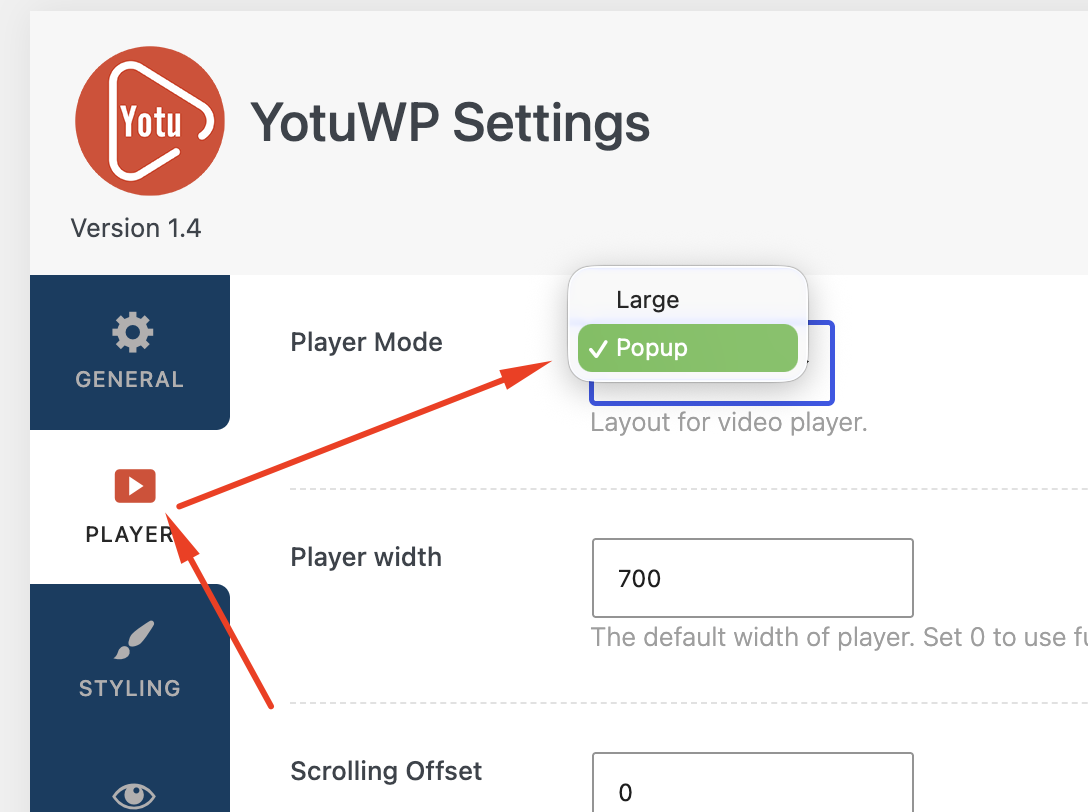
Then Save Change and check your page after that.
Hope that convenient for your plan.

For the first video. You can hide it via setting to enable popup player at Yotuwp > Settings > Player > Player Mode
Then select Popup value.
Then Save Change and check your page after that.
Hope that convenient for your plan.
YotuWP Advance comes with several additional benefits...

Video thumbnails are meant to grab viewers' attention and entice them to click on the video to watch it. A custom image is best choice in this case. Here are a few of the best free thumbnail makers to sort out.
Free Download